Remove Object from Photo
Brush over a stranger, a trash can or a power line, and the AI rebuilds the background behind it. Free to try, no sign-up.
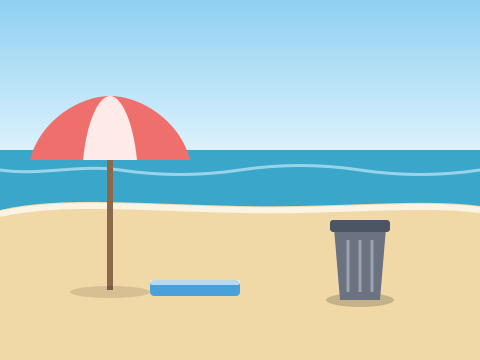 before
 after
Erase what doesn't belong
People in the background
Tourists in your travel shot or a photobomber at the edge of the frame, gone without a trace.
Clutter and trash
Bins, cables, bags and bottles that pulled attention away from what you actually photographed.
Wires and poles
Power lines across the sky and street poles in front of buildings, cleaned up in one pass.
Text and date stamps
Old camera date stamps, stickers and stray signs on your own photos.
Small blemishes
Spots on a wall, stains on a shirt or a scratch on a scanned print.
Smart fill
The gap is filled with new background that follows the light, texture and perspective of the scene.
How to remove an object from a photo
- 1
Upload your photo
JPG, PNG or WebP up to 10 MB.
- 2
Brush over the object
Cover it with a little margin. Add a short description if the scene is busy.
- 3
Download the clean photo
The object is removed and the background filled in. No watermark.
Tips for a clean result
Brush past the edges
Include the object's shadow and a few pixels around it so no outline is left behind.
One thing at a time
In a busy photo, remove objects one by one instead of everything at once.
Describe it
A few words like “the red car” help the AI when the object is hard to separate.
Related tools
- Want the subject on its own instead? Remove background from photo and download a transparent PNG.
- Change the sky, the lighting or the whole scene with the free AI picture editor by typing what you want.
Frequently asked questions
How do I remove an object from a photo?
Upload the photo, brush over the object you want gone, and optionally describe it in a few words. The AI removes it, fills the area with matching background, and you download the result.
Will the removed area look blurry or smudged?
The AI paints in new background rather than blurring, so grass, sand, walls and sky usually blend in naturally. Large objects in front of detailed patterns are harder; if the first result isn't clean, brush a slightly larger area and try again. If an edit fails to process, its credits are refunded automatically.
Can I remove people, text or watermarks?
You can remove people, text, date stamps and other objects from photos you own or have permission to edit. Don't use the tool to strip watermarks or credits from other people's work; that breaks our Terms of Service and usually copyright law.