Remove Background from Photo
Upload a photo and get a clean, transparent PNG of your subject: people, products, pets or cars. Free to use, no sign-up.
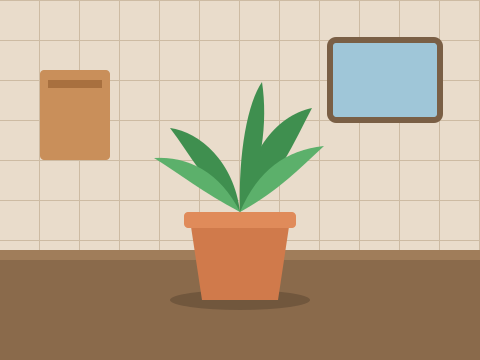 before
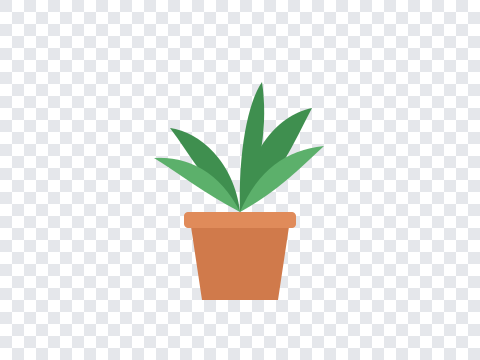 after
A background remover that handles the fiddly parts
Clean edges
Hair, fur and soft edges are separated from the background instead of being chopped off with a hard outline.
Transparent PNG
The background is truly removed, not painted white, so the cutout sits on any color, photo or slide.
Any subject
Portraits, product shots, pets, cars and furniture. The AI finds the main subject on its own; no clicking around edges.
No watermark
Free results are yours to use as they are: no logo stamped on the corner, no forced sign-up to download.
Works on your phone
Upload straight from your camera roll. The page works in any modern mobile browser, with nothing to install.
Need a new background?
Skip the cutout and ask the AI picture editor for “a plain white studio background” or any scene you like.
How to remove a background from a photo
- 1
Upload your photo
Choose a JPG, PNG or WebP up to 10 MB.
- 2
Let the AI cut it out
The subject is detected and separated from everything behind it.
- 3
Download the PNG
Save the transparent image and use it anywhere.
What people use it for
Product photos
Marketplace listings and online stores look cleaner when every product sits on the same plain background.
Profile pictures
Cut yourself out of a busy photo for a LinkedIn headshot, a team page or a gaming avatar.
Designs and stickers
Drop cutouts into presentations, posters, thumbnails and collages without manual masking.
Related tools
- Want to keep the background but lose a person or a sign? Remove object from photo and let the AI fill in the gap.
- Change lighting, colors or the whole scene with one sentence in the free AI picture editor .
Frequently asked questions
Is it free to remove a background from a photo?
Yes. Without an account you get 2 free edits a day, and each background removal counts as one. A free account adds 20 one-time credits, and a background removal uses 2. Results are never watermarked.
What format will my image be in?
You download a PNG with a transparent background, ready to drop into a slide, a product listing or a design tool. To place the subject on a new background instead, use the AI picture editor and describe the scene you want.
Which photos work best?
Photos where the subject is in focus and clearly separated from the background. People, products, pets, cars and furniture all work well. Subjects that blend into a very busy background can come out with rough edges. Files can be JPG, PNG or WebP up to 10 MB.